Back to projects
04 · A Windows hub for local projects
Validated local tool · Windows
NEXUS
The correct path appears before execution, without relying on a pile of shortcuts.
NEXUS organizes projects, paths and checks in a local hub that shows what is ready and what requires attention.
- Interface-based setup
- Tracked paths
- Works without a connection
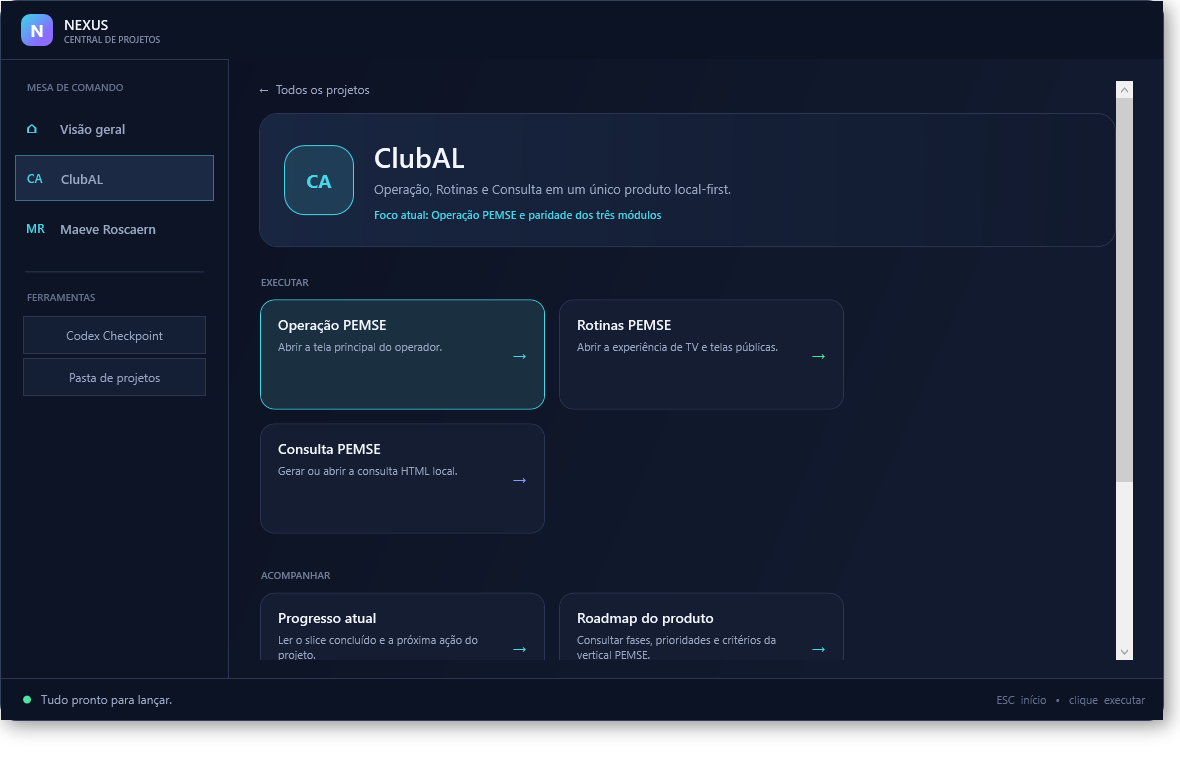 Demonstration catalog
- Role
- Product direction and development of the local hub, including registration, safe path discovery and validations.
- Background
- Each product uses its own versions, tools and checks. NEXUS brings those references together and shows the correct path before execution.
- Solution
- Projects and paths are added from the interface; NEXUS only adopts a newer alternative when the match is safe and unambiguous.
- Evidence and outcome
- Startup without a connection, interface-based registration and safe path discovery were validated in the local base.
- Status
- Projects and checks open in the correct development environment, without a required login or mixing products.
A pile of shortcuts was no longer enough to organize multiple projects.
Each product uses its own versions, tools and checks. NEXUS brings those references together and shows the correct path before execution.
- Multiple projects
- Different paths
- Visible state
A local command desk replaces the pile of shortcuts.
Projects and paths are added from the interface; NEXUS only adopts a newer alternative when the match is safe and unambiguous.
- Interface-based setup
- Tracked paths
- Only unambiguous alternatives
The local hub is in use.
Projects and checks open in the correct development environment, without a required login or mixing products.
- C# / WPF application for Windows
- Opens in the correct environment
- No automatic publishing